Rank Higher in Google: 7 Quick Tips
Every day, 8.5 billion searches are performed on Google. No one clicks past the first page. In this guide, you’ll learn step by step how to rank higher: from search intent to AI Overviews.
Every day, 8.5 billion searches happen on Google. Almost nobody clicks past the first page. If you're on page two, you're essentially invisible.
The good news: ranking higher in Google isn't black magic. It's a combination of the right content, a technically sound website, and some patience. We see it with our own clients: Sun Invest sits in the top 5 for "lamellendaken" and competes there with companies spending multiples of their marketing budget. In this guide we walk through step by step what works, what doesn't, and where to start.
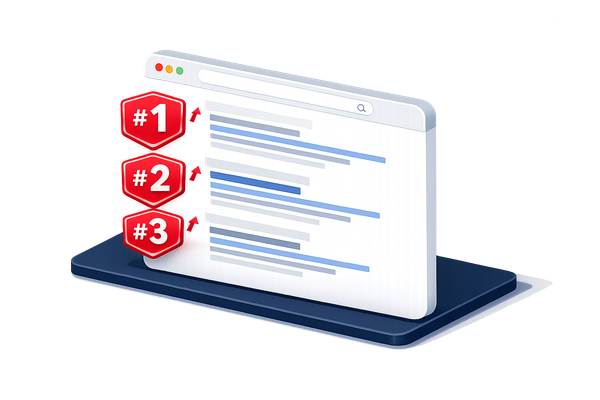
What determines your position in Google?
Google uses hundreds of factors to decide which pages appear at the top. But it really comes down to three things: relevance (does your page match what someone is searching for?), authority (is your website seen as a trustworthy source?), and user experience (does your site load fast, work on mobile, and navigate smoothly?). Get those three right, and the rest follows.
E-E-A-T: how Google evaluates expertise
Google assesses content through the E-E-A-T framework: Experience, Expertise, Authoritativeness, and Trustworthiness. In short: show that you know what you're talking about. Write from real experience rather than theory. Be clear about who the author is. Back up claims with numbers, sources, or real examples. And make sure your contact details are easy to find.
E-E-A-T isn't a technical signal Google measures directly. It shows up indirectly in how people engage with your content: how long they read, whether they click through, whether they come back.
Search intent: the most important ranking factor
This is where most websites go wrong. Say you write a detailed article about "webshop development", but someone typing that into Google doesn't want an explanation — they want a quote. Google knows that and shows service pages, not blog posts.
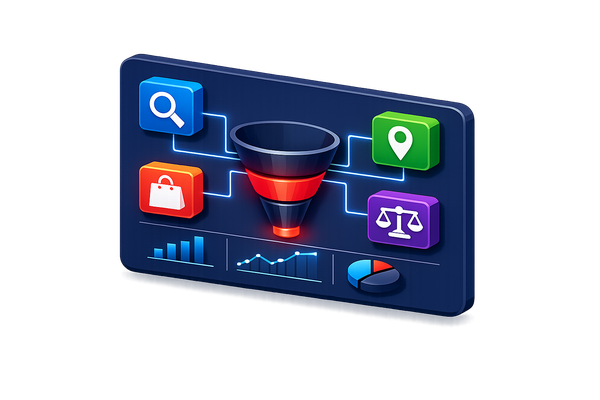
Search intent is the why behind a search query. There are four types:
- Informational: someone wants information or an explanation (e.g. "what is seo")
- Navigational: someone is looking for a specific website (e.g. "onoweb blog")
- Commercial: someone is comparing before buying (e.g. "best seo tool 2026")
- Transactional: someone is ready to act (e.g. "hire an seo agency")
The easiest way to check intent? Type your keyword into Google and see what comes up. Blog posts? Write a blog. Service pages? Create a service page. If your page doesn't match the intent, you have almost no chance — no matter how good the rest of your SEO is.
A good example is the webshop Zoë & Zita, which we built for party clothing. By creating a separate landing page for each product category that exactly matched search intent, the shop now dominates results for terms like "evening dresses", "gala dresses", and "bridesmaid dresses".
Writing SEO content that actually ranks
Good SEO writing starts before you type a single word: with keyword research.
Keyword research: how to approach it
You don't need expensive tools to start. Begin for free:
- Google Search itself — Type your topic and look at the autocomplete suggestions and the "people also search for" section at the bottom.
- Google Search Console — See exactly which search terms are already bringing traffic. Keywords ranking at position 7 to 15 are low-hanging fruit.
- Answer the Public — Shows questions people ask around a topic.
Pick keywords with a decent balance: enough search volume to make the effort worthwhile, but not so competitive that you'll never rank as a smaller player. Long-tail keywords are generally easier to rank for than broad terms.
Content structure: make it scannable
Most people online don't read — they scan. Keep that in mind:
- Use clear H2 and H3 headings with your target keyword
- Write short paragraphs (max. 3–4 sentences)
- Use bullet points for lists of items or steps
- Put the most important information at the top
- Add a table of contents for longer articles
On-page SEO: the technical side
On-page SEO covers all the optimisations you make directly on a page. This is relatively straightforward work that often makes a big difference.
Titles and meta descriptions
The page title is the first thing Google and your visitors see in search results:
- Max. 60 characters
- Put your primary keyword at the start
- Make it compelling enough to click
The meta description appears below the title. It's not a direct ranking factor, but it affects your click-through rate. Higher CTR means more clicks — a positive signal for Google.
- Max. 155 characters
- Describe what the visitor will find on the page
- End with a call to action
Headings, alt tags, and URL structure
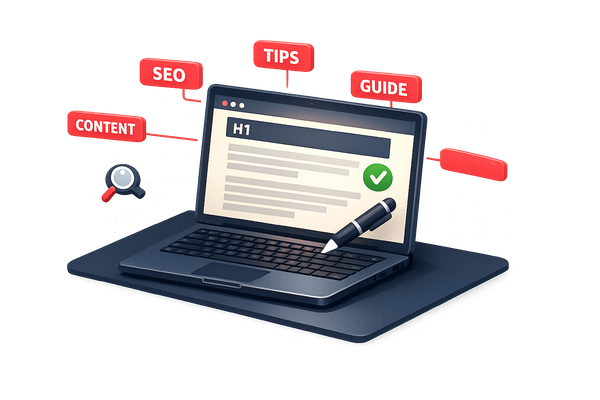
Every page needs exactly one H1 with your primary keyword. Use H2s and H3s to organise content logically. Don't forget alt tags on images — good for accessibility and Google Images. Keep URLs short and descriptive, with the keyword in them (e.g. /rank-higher-in-google).
Also read our article on having a website designed for your business for more on building a strong site structure.
Want to know where your website stands on SEO?
Request a free analysis →Technical SEO: speed and Core Web Vitals
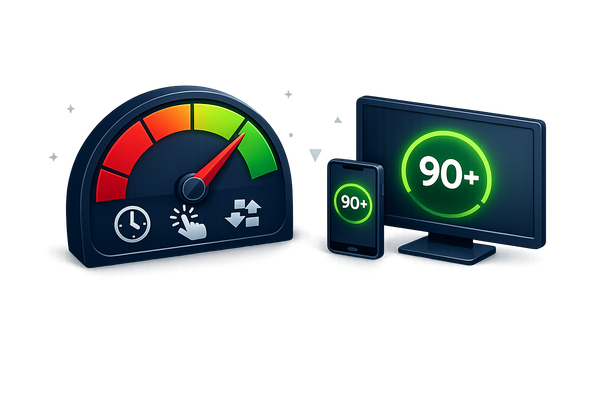
You can have the best content in the world, but if your site loads slowly or doesn't work on mobile, you lose rankings. Google measures this with Core Web Vitals:
- LCP (Largest Contentful Paint): how fast does the largest element load? Target: < 2.5 seconds
- INP (Interaction to Next Paint): how quickly does the page respond to input? Target: < 200 milliseconds
- CLS (Cumulative Layout Shift): do elements shift while loading? Target: < 0.1
Practical improvements:
- Use optimised images (WebP format, correct dimensions)
- Enable browser caching and a CDN
- Minimise CSS and JavaScript
- Choose a fast hosting provider
- Remove unnecessary plugins or scripts
Mobile-friendliness: not optional
More than 60% of all searches happen on a smartphone. Google indexes your website based on its mobile version. If your site works perfectly on desktop but is barely readable on phone, your rankings pay the price.
At Onoweb we aim for a minimum of 80 on Google PageSpeed for mobile. See our website and webshop services: every site we build is 100% mobile-friendly.
Schema markup: give Google extra context
Schema markup is code that gives Google extra context about your page. It makes you eligible for rich results — search results with stars, FAQ sections, or step-by-step content.
For a blog, use at minimum: Article schema, BreadcrumbList, and FAQPage. Running a WordPress site? Our WordPress developer can help you set this up correctly.
Internal links: building topic authority
Internal links are one of the most powerful and underrated SEO tools you have. They help Google crawl your site, distribute ranking power, and tell Google which pages matter most. Visitors also stay longer when you link them to relevant content.
How to do internal linking well
Link from your strongest pages to the ones you want to boost. Use descriptive anchor text: not "click here" but "read more about webshop development". Build a pillar-cluster structure: one main page per topic, supported by related articles.
This article links to our blog about why to have a website built, to our guide on why to build a webshop, and to our basics for good web design. That's how topic authority gets built.
Backlinks and external authority
A backlink is a link from another website to yours. Google sees this as a vote of confidence. Not all backlinks are equal — a link from a reputable news site carries far more weight than ten links from random directories.
Link building strategies that work in 2026
The most sustainable approach: create valuable content that people naturally want to link to. Guest posting on relevant sites in your sector still works. If your brand gets mentioned without a link, ask whether they'd add one. And don't overlook local listings: Google Business Profile, industry associations, local directories.
Avoid link farms, paid link packages, and other shortcuts. Google recognises these and penalises them.
"The objective is not to make your links appear natural; the objective is that your links are natural."
— Matt Cutts, former head of webspam at Google
Updating content: why improving existing pages often beats writing new ones
Many site owners focus on new content, when updating existing pages often delivers more. An existing article is already indexed, may have backlinks, and has accumulated some authority. That's a head start you don't have with a new article. With a good content management system, updating an existing page takes only minutes.
How to improve existing content
- Open Google Search Console and find pages ranking at positions 6–15
- See which search terms those pages already trigger — add them to your content
- Add new information (statistics, 2026 updates, new examples)
- Improve the structure: better headings, more lists, a FAQ section
- Add internal links to newer content
- Update the publication date after a serious revision
A page stuck at position 8 can jump to position 3 after a thorough update. That's a proven tactic. Also read how a good website for your business lays the foundation for every SEO strategy.
Local SEO: ranking in your region
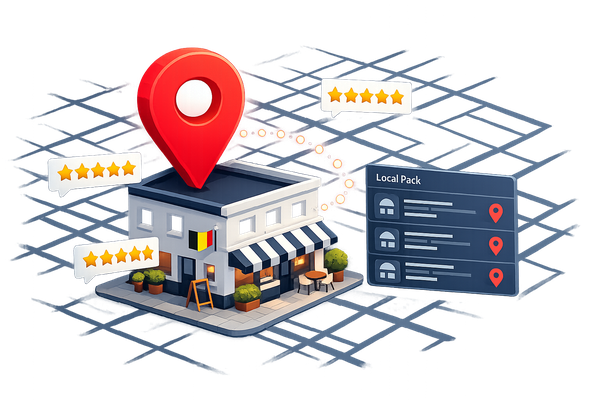
Running a local business? Local SEO is your strongest card. Someone searching "web design agency Mechelen" wants a local result. Google shows the Local Pack: the three businesses at the top with a map.
Optimising your Google Business Profile
- Fill in all fields completely: name, address, phone number, opening hours, website
- Choose the right categories
- Add photos of your office, team, or projects
- Actively collect reviews from satisfied customers
- Respond to all reviews — including negative ones, professionally
Local keywords and landing pages
Create separate landing pages for each region you're active in. See our pages for website development in Mechelen and website development in Lier as examples.
Make sure your NAP data (name, address, phone number) is consistent everywhere: your website, Google Business Profile, social media, and local directories.
AI Overviews: how Google's AI surfaces your content
Since 2024, Google shows an AI Overview — an AI-generated summary — at the top of more and more search results. Pages that used to sit at position 1 lose clicks because the AI already answers the question. But if Google cites your content in an AI Overview, you get extra visibility and authority.
Optimising for AI results
Write clear, factual answers to specific questions — Google's AI prefers content that is concise and authoritative. Use a FAQ structure with questions as headings. Structure your pages with schema markup. And build authority, because AI Overviews prefer sources with high E-E-A-T.
Think of AI Overviews as the new featured snippet: if you get in, you win.
Google Ads: the fast route
When you search in Google, you often see paid results at the top. Google Ads is the fastest way to be at the top: set up a campaign, set your budget, and you're visible. The downside? The moment you stop paying, you disappear. The ideal approach: use Google Ads for immediate visibility while building your organic rankings in the background.
Ready for an introductory meeting?
We listen to your idea, give honest advice, and afterwards you will know exactly if and how we can help you.
Schedule an introductionWhere to start: a practical timeline
You don't need to do it all at once. Here's a priority list:
Week 1–2: quick wins
- Install Google Search Console and analyse your current positions
- Optimise titles and meta descriptions for your 5 most important pages
- Add internal links between existing pages
- Check your load speed with PageSpeed Insights
Month 1–3: structural work
- Do keyword research for every page and blog article
- Write or optimise content based on search intent
- Claim and optimise your Google Business Profile
- Aim for 2–3 quality backlinks per month
Month 3–6: building authority
- Build a content cluster around your core topics
- Update existing articles with new information
- Actively collect reviews
- Monitor rankings and adjust based on data
SEO isn't a sprint, it's a marathon. But anyone who works at it consistently sees measurable results within 3 to 6 months. Want to know what a professional website costs? Read more about why having a website built pays off.
Frequently asked questions about ranking higher in Google
How long does it take to rank higher in Google?
For new websites, expect 3 to 6 months. For existing websites with some authority, results can sometimes appear within 4 to 8 weeks.
Do you need an SEO expert or can you do it yourself?
Many basics — titles, meta descriptions, internal links, Google Business Profile — you can handle yourself. For technical SEO, link building, and a serious content strategy, professional help is often the fastest route.
What is the difference between SEO and Google Ads?
SEO targets organic, unpaid rankings. Google Ads are paid. SEO takes more time but delivers sustainable, free traffic. Ads give immediate results but stop when your budget runs out.
How important is mobile-friendliness for SEO?
Crucial. Google uses mobile-first indexing: the mobile version of your website determines your ranking, even for desktop searches.
What are the most important free SEO tools?
Google Search Console, Google PageSpeed Insights, Google Trends, and Ubersuggest are solid free starting points.
Is it bad to use too many keywords?
Yes. Keyword stuffing is penalised by Google. Write for your reader, not an algorithm.
What is the difference between on-page and off-page SEO?
On-page covers optimisations on your own page: text, titles, technical. Off-page covers external factors: backlinks, mentions, social signals. Both matter.
How do I know if my SEO is improving?
Track positions weekly via Google Search Console. Look at organic traffic, CTR, and conversions. Rankings are a means to an end, not the goal itself.
Conclusion
Ranking higher in Google isn't about one trick. It's a combination of relevant content based on search intent, technical optimisation, a healthy internal link structure, backlinks, and local visibility.
The sites that rank at the top are rarely the fastest or the cheapest. They're the most useful and trustworthy sources for a specific search query.
Want us to review your website and put together a concrete SEO plan? See our website and webshop services or get in touch directly.
Ready for an introductory meeting?
We listen to your idea, give honest advice, and afterwards you will know exactly if and how we can help you.
Schedule an introduction